
Artificial intelligence can write an email.
It can summarize a 50-page document.
It can analyze a spreadsheet in seconds.
So it’s reasonable for business owners to ask:
Why can’t AI just handle my finances too?
Increasingly, it can help.
Modern accounting platforms already use automation and machine learning to categorize transactions, identify patterns, process invoices, reconcile information, detect unusual activity, and generate financial reports.
Generative AI adds another layer.
You can potentially give an AI system financial information and ask:
Why did my gross margin decline?
Which expenses increased the most?
What happens to cash flow if sales decline 15%?
How much can I afford to hire?
Explain my balance sheet in plain English.
That’s powerful.
But business finances are also an area where being confidently wrong can be expensive.
The question isn’t whether businesses should use AI for finance.
They should.
The better question is:
Which financial tasks should AI help with, and which decisions still need a qualified human?
What You’ll Learn
- Where AI can save business owners time
- How AI can help analyze financial reports
- Whether you should let AI do your bookkeeping
- How AI can assist with budgeting and forecasting
- Where AI-generated tax advice becomes risky
- Why confidential financial information requires extra care
- Which financial decisions still need human judgment
- How to combine AI with your accountant or CPA
- A simple framework for deciding when AI is appropriate
First: You’re Probably Already Using AI in Your Finances
Even if you’ve never opened ChatGPT and uploaded a spreadsheet, there’s a good chance artificial intelligence or machine learning is already involved somewhere in your financial workflow.
Accounting, banking, expense-management, payroll, and payment platforms increasingly use automation to help with things such as:
- Transaction categorization
- Receipt processing
- Invoice processing
- Fraud detection
- Bank reconciliation
- Expense classification
- Cash-flow analysis
- Financial reporting
That’s different from handing your entire accounting system to a chatbot.
It’s important to distinguish between the two.

Traditional Financial Automation vs. Generative AI
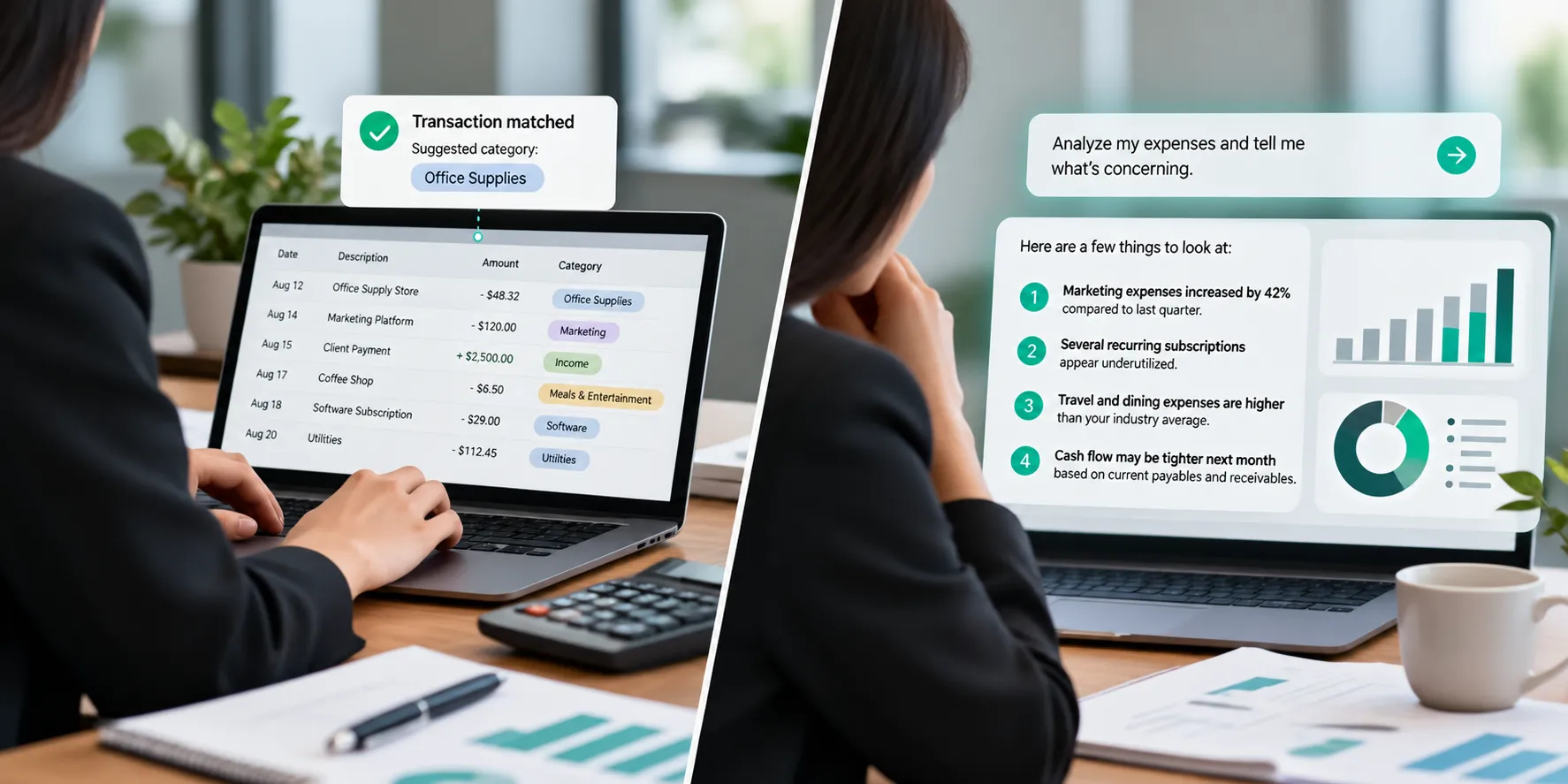
Traditional accounting automation usually performs a narrowly defined task.
For example:
When a transaction matches a specific pattern, suggest a category.
Generative AI is different.
You can ask open-ended questions.
“Analyze my expenses and tell me what’s concerning.”
Now the AI has to interpret information and decide what’s relevant.
That creates enormous opportunities.
It also introduces more room for error.
The Best Rule: Use AI to Assist, Not Abdicate
There’s a simple philosophy business owners can use:
Let AI do the work. Don’t automatically let AI make the decision.
AI can:
Analyze.
Organize.
Compare.
Calculate.
Summarize.
Model.
Explain.
Your accountant, CPA, financial team, and business leadership should still verify important information and make consequential decisions.
The higher the financial consequence of being wrong, the more important human review becomes.

RIGHT: Use AI to Understand Your Financial Reports
This may be one of the best applications of AI for business owners.
In our previous article, we discussed five financial reports every business owner should understand:
- Profit & Loss Statement
- Balance Sheet
- Cash Flow Statement
- Accounts Receivable Aging
- Budget vs. Actual
AI can potentially help business owners interact with those reports in a completely different way.
Instead of simply receiving a P&L and staring at rows of numbers, you can ask questions.
Ask Better Questions About Your P&L
Imagine providing appropriate financial data to an approved, secure AI system and asking:
“Compare this month with the same month last year.”
“Which three expenses increased the most?”
“What happened to our gross margin?”
“Revenue increased 12%. Why did profit only increase 3%?”
“Which expenses are growing faster than revenue?”
Those are useful questions.
AI can dramatically reduce the time required to perform an initial analysis.
But the output still needs context.
AI Can See the Number. Your CPA May Know the Story.
Imagine AI discovers:
Marketing expense increased 80%.
The software may flag that as significant.
But your CPA or business owner knows:
The company intentionally launched a new location.
Or:
A major annual expense happened to hit this month.
Or:
The business prepaid for a campaign covering the next six months.
Numbers need context.
That’s one of the most important limitations to remember when using AI for financial analysis.

RIGHT: Use AI to Look for Trends
AI can be particularly useful when you have a lot of historical information.
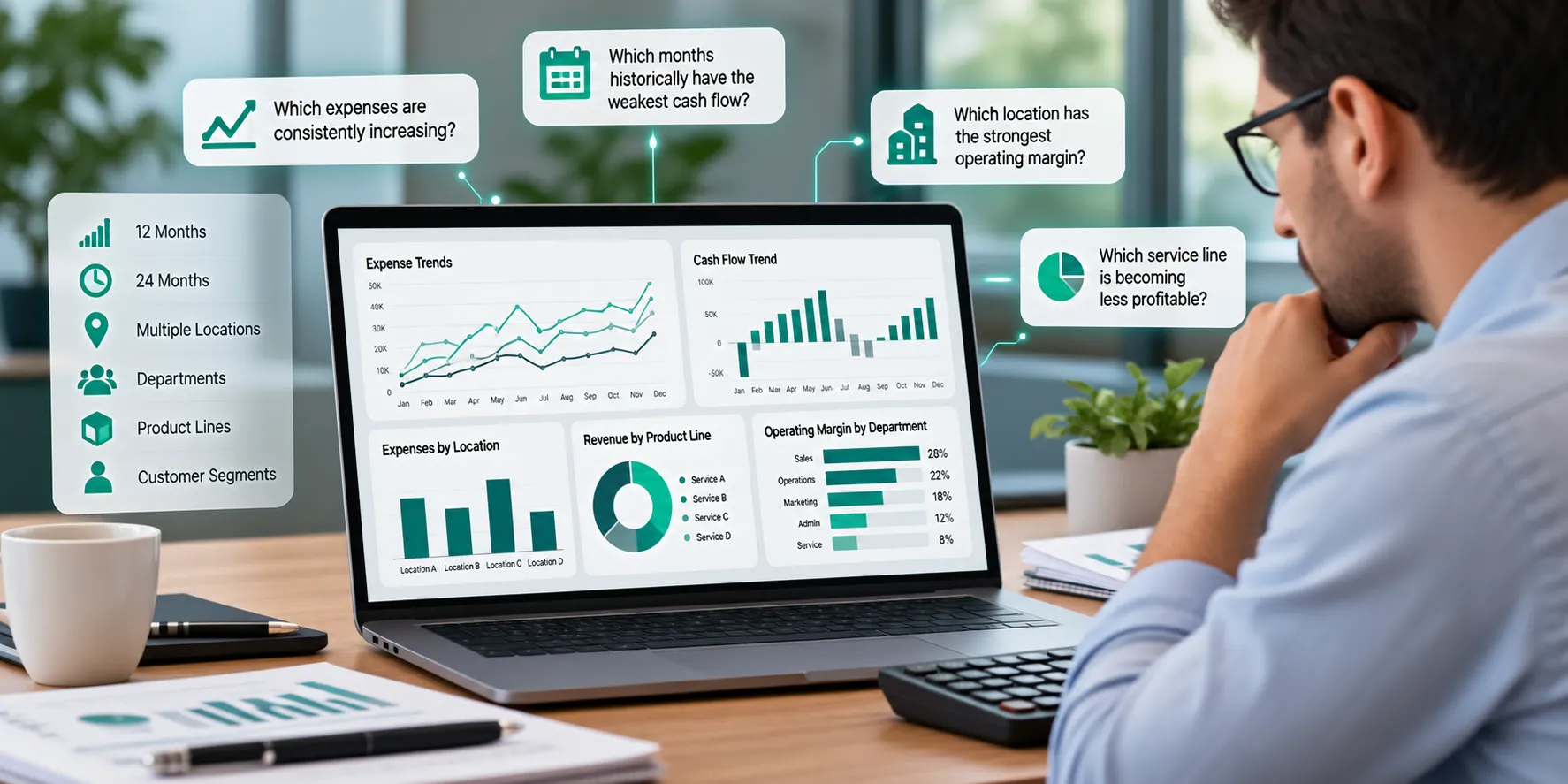
Instead of comparing only this month with last month, you might analyze:
- 12 months
- 24 months
- Multiple locations
- Different departments
- Product lines
- Customer segments
Then ask:
“Which expenses are consistently increasing?”
“Which months historically have the weakest cash flow?”
“Which location has the strongest operating margin?”
“Which service line is becoming less profitable?”
AI is good at finding patterns.
Humans are good at determining what those patterns mean for the business.
RIGHT: Use AI for Budgeting Scenarios
Budgeting is another excellent area for AI assistance.
Suppose your business currently generates $3 million in annual revenue.
You want to model what happens if you grow to $3.5 million.
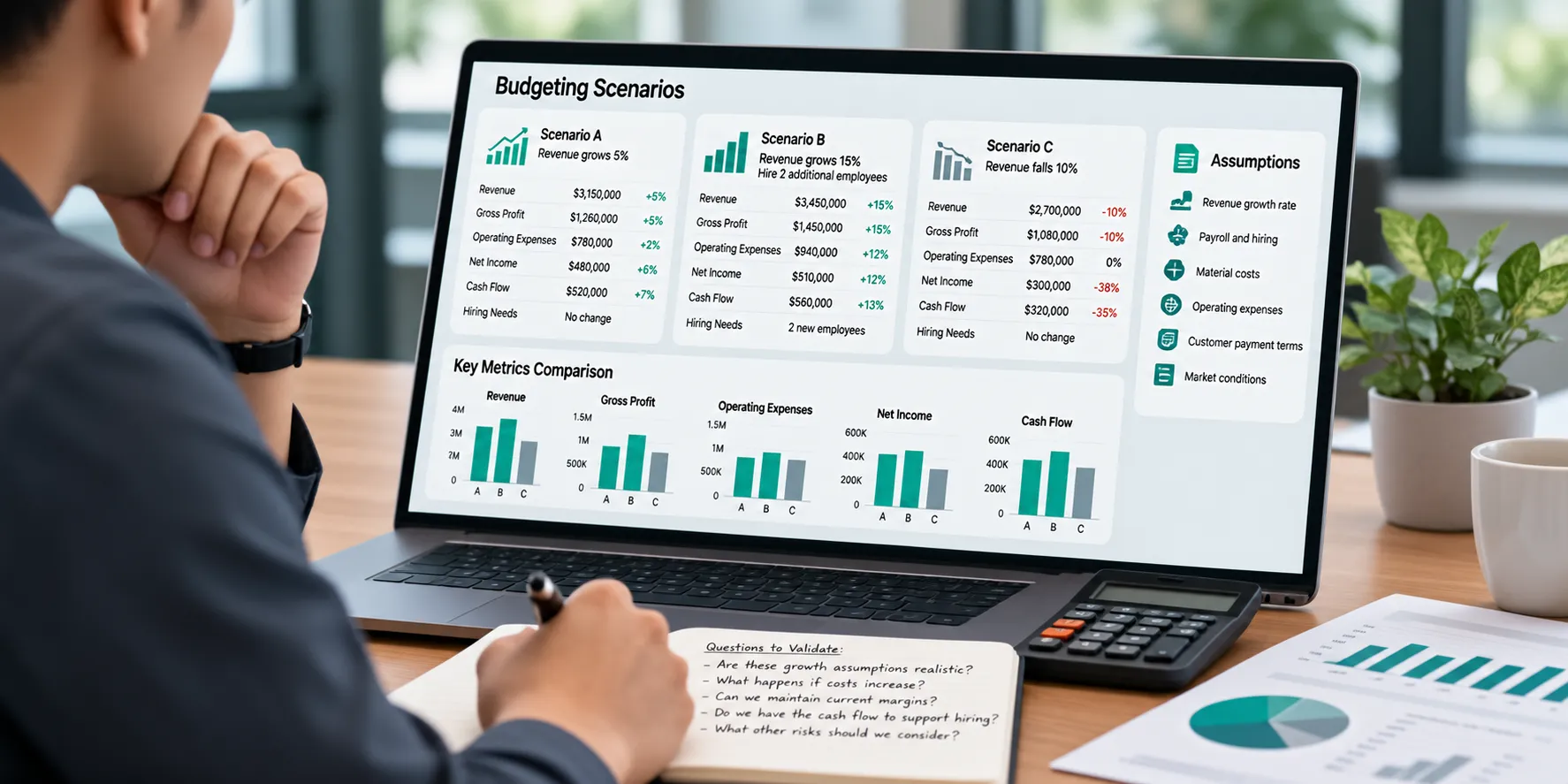
AI can help you create scenarios.
For example:
Scenario A
Revenue grows 5%.
Payroll remains relatively stable.
Scenario B
Revenue grows 15%.
You hire two additional employees.
Scenario C
Revenue falls 10%.
Fixed expenses remain unchanged.
You can then model the potential impact on:
- Gross profit
- Operating expenses
- Net income
- Cash flow
- Hiring needs
This isn’t fortune-telling.
It’s scenario planning.
And AI can make scenario planning dramatically faster.
WRONG: Treat an AI Forecast Like a Prediction
A financial model is based on assumptions.
If the assumptions are wrong, the answer may be wrong.
AI can create an incredibly sophisticated spreadsheet based on a terrible assumption.
That’s why every forecast should prompt another question:
What assumptions produced this result?
If the AI assumes:
- Revenue grows 20%
- Labor stays flat
- Material costs don’t increase
- Customers continue paying at the same speed
the forecast might look fantastic.
Reality may not cooperate.
AI can help build the model.
Management still needs to challenge the assumptions.
RIGHT: Use AI to Help Manage Cash Flow
Cash flow is one of the areas where better analysis can be particularly valuable.
A profitable company can still experience cash-flow problems.
AI may help analyze:
- Historical cash receipts
- Payment timing
- Accounts receivable
- Recurring expenses
- Payroll
- Debt payments
- Seasonal patterns
Then you can ask questions such as:
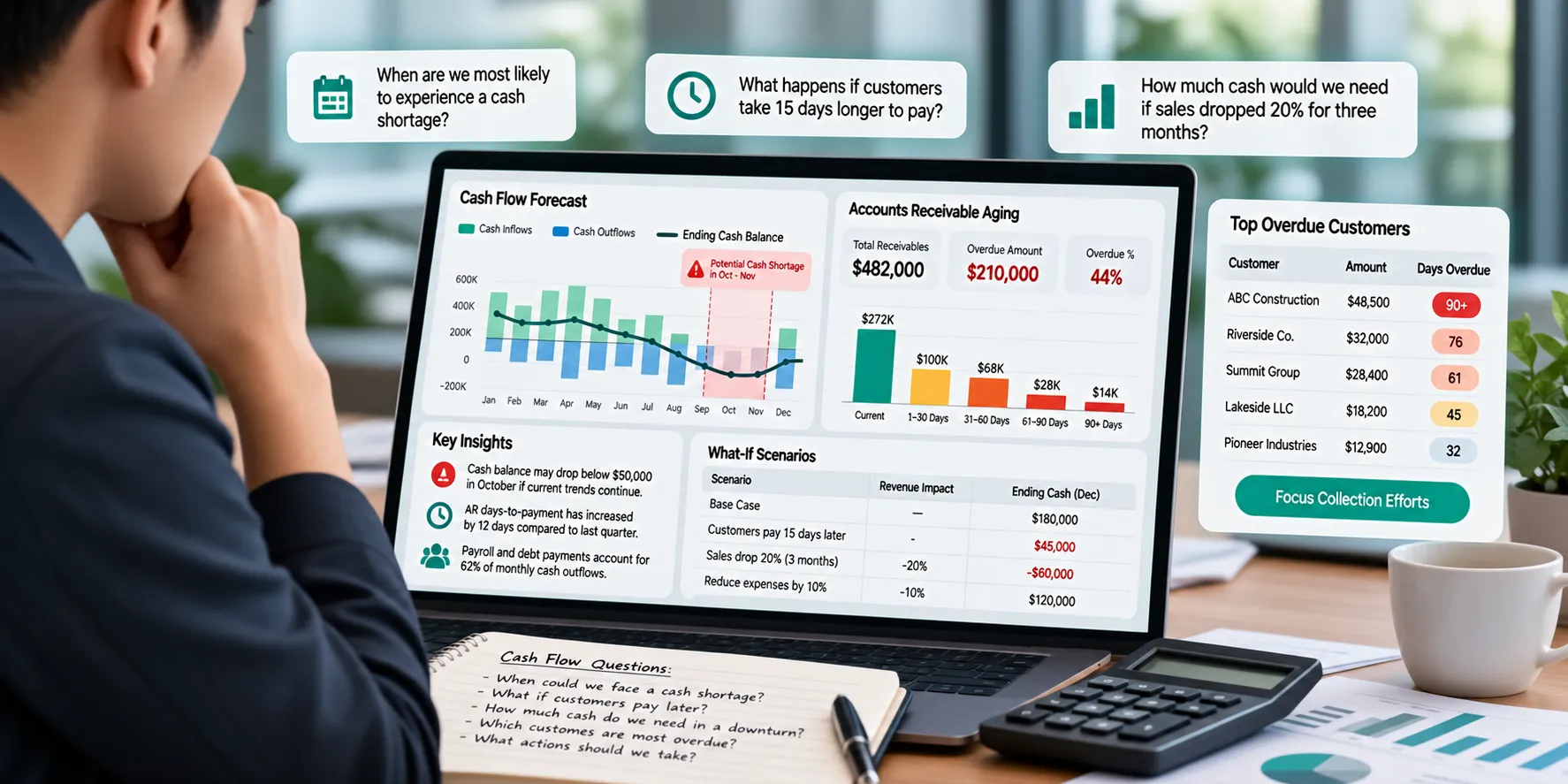
“When are we most likely to experience a cash shortage?”
“What happens if customers take 15 days longer to pay?”
“How much cash would we need if sales dropped 20% for three months?”
Those are useful planning exercises.
RIGHT: Use AI to Analyze Accounts Receivable
Accounts receivable can quietly become a major business problem.
Your P&L says you made the sale.
Your bank account says:
Where’s the money?
AI can help analyze an aging report and identify:
- Customers with overdue balances
- Increasing days-to-payment
- Concentrations of receivables
- Changes in payment behavior
- Potential cash-flow pressure
That can help management focus collection efforts where they matter most.
WRONG: Let AI Send Aggressive Collection Messages Without Oversight
Automation can help with routine reminders.
But customer relationships require judgment.
There’s a difference between:
“Your invoice is five days overdue.”
and:
A long-term customer is 45 days late because they’re experiencing a temporary problem.
AI may know the invoice.
Your team knows the customer.
Use automation where appropriate.
Keep humans involved when context matters.
RIGHT: Use AI to Explain Accounting Concepts
Business owners don’t need to become CPAs.
But they should understand the numbers they use to run the company.
AI can be a useful educational tool.
Ask:
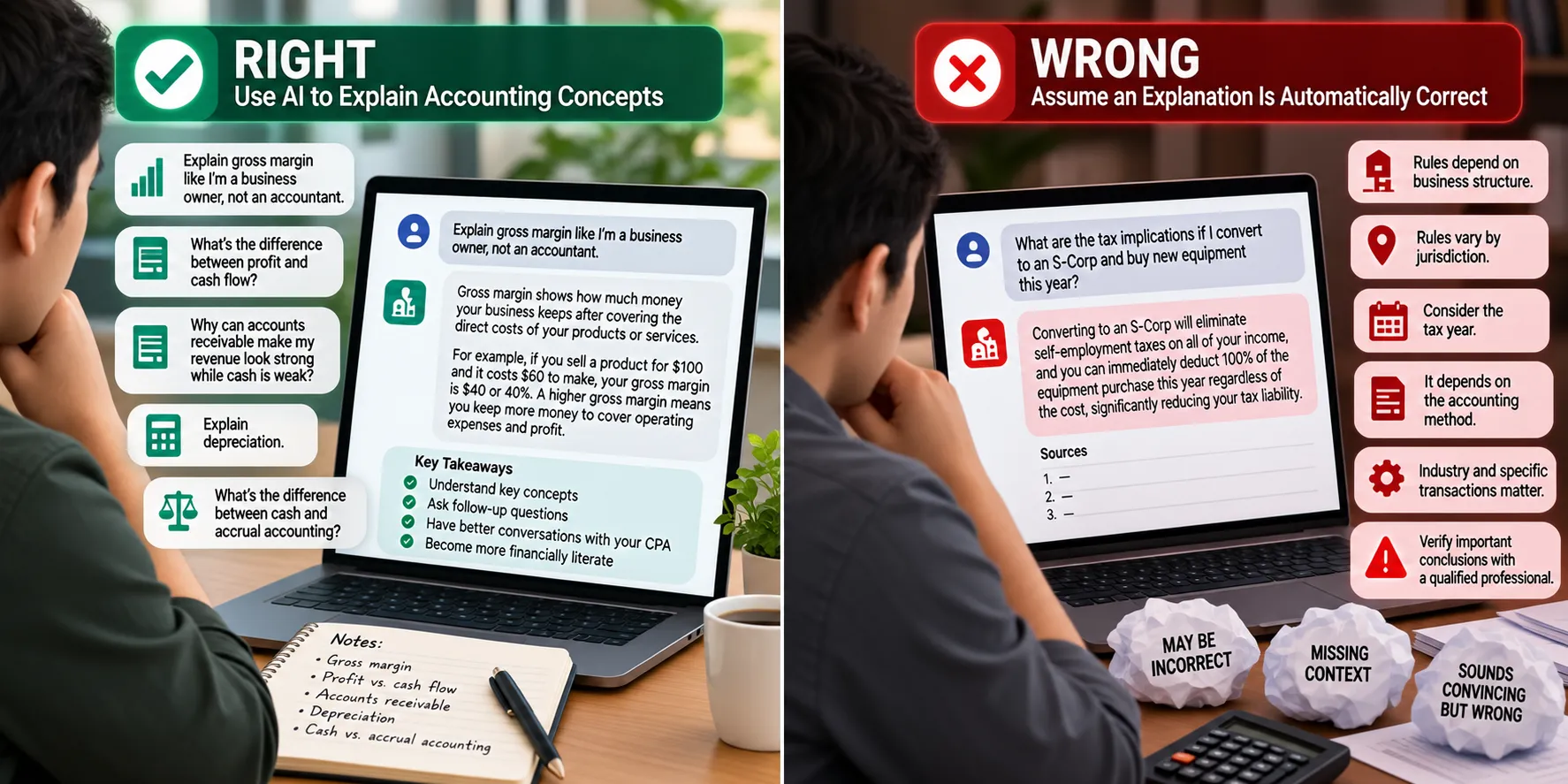
“Explain gross margin like I’m a business owner, not an accountant.”
“What’s the difference between profit and cash flow?”
“Why can accounts receivable make my revenue look strong while cash is weak?”
“Explain depreciation.”
“What’s the difference between cash and accrual accounting?”
That can help business owners become more financially literate.
Then they can have better conversations with their accounting professionals.
WRONG: Assume an Explanation Is Automatically Correct
AI can make complicated topics sound very simple.
That’s useful.
But it can also make an incorrect answer sound completely convincing.
Financial, accounting, and tax rules can depend on:
- Business structure
- Jurisdiction
- Tax year
- Accounting method
- Industry
- Specific transaction
- Facts and circumstances
Use AI to learn.
Verify consequential conclusions.
RIGHT: Use AI to Prepare for Your CPA Meeting
Here’s a practical application we really like.
Before meeting with your CPA, use AI to help organize the questions you want to ask.
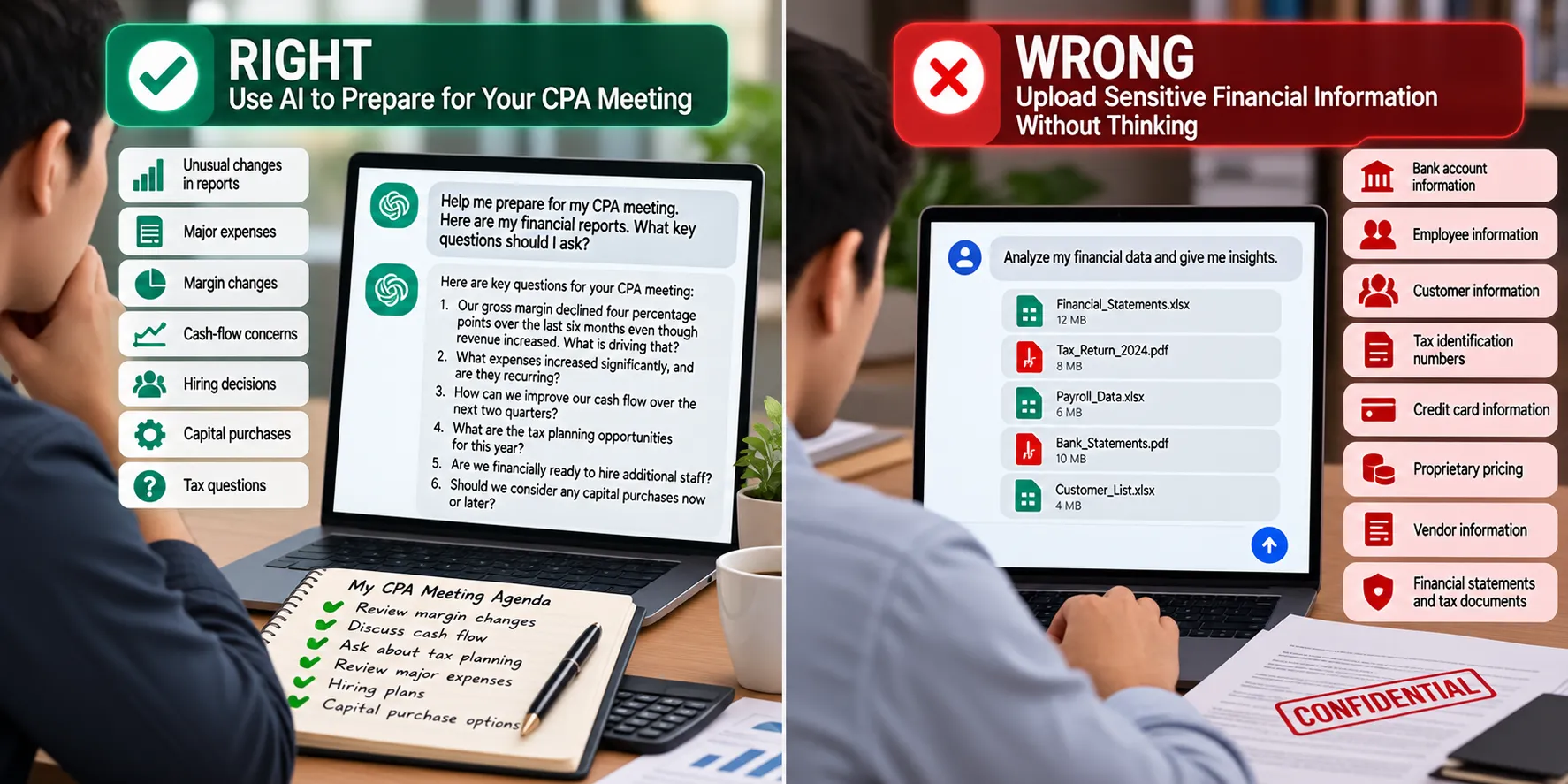
Review your reports and identify:
- Unusual changes
- Major expenses
- Margin changes
- Cash-flow concerns
- Hiring decisions
- Capital purchases
- Tax questions
Then walk into your CPA meeting prepared.
Instead of asking:
“How are we doing?”
you can ask:
“Our gross margin declined four percentage points over the last six months even though revenue increased. What is driving that?”
That’s a much better conversation.
AI Should Help You Ask Better Questions
This may ultimately be one of AI’s greatest financial benefits for business owners.
It doesn’t need to have the final answer.
It can help you discover the right question.
That’s valuable.
WRONG: Upload Sensitive Financial Information Without Thinking
This is one of the biggest concerns.
Business financial records can contain extremely sensitive information.
Potentially:
- Bank account information
- Employee information
- Customer information
- Tax identification numbers
- Payroll
- Credit card information
- Proprietary pricing
- Vendor information
- Financial statements
- Tax documents
Don’t casually copy sensitive financial records into whatever free AI tool you happen to have open.
Before using AI with financial information, understand:
- What platform you’re using
- What information you’re sharing
- How that information is stored
- Whether it may be retained
- Who can access it
- Your organization’s security policies
- Whether confidential or regulated information is involved
Convenience doesn’t eliminate your responsibility to protect financial information.
Consider Using Sanitized Data
You don’t always need to give an AI system everything.
Suppose you want help analyzing expenses.
Instead of uploading customer names, bank information, employee information, and every transaction detail, you may be able to provide:
| Expense Category | 2025 | 2026 |
| Payroll | $640,000 | $710,000 |
| Rent | $96,000 | $99,000 |
| Marketing | $120,000 | $165,000 |
| Insurance | $72,000 | $81,000 |
| Utilities | $38,000 | $41,000 |
Now the AI can help analyze trends without necessarily receiving the sensitive underlying records.
Give the system the minimum information needed to perform the task.
WRONG: Use AI as Your Tax Advisor
This is where we need to draw a particularly clear line.
AI can be useful for learning about tax concepts.
But tax advice can depend on extraordinarily specific circumstances.
Suppose you ask:
“Can I deduct this $100,000 equipment purchase?”
An accurate answer might depend on:
- What you purchased
- When it was purchased
- When it was placed in service
- How it is used
- Your business structure
- Current tax law
- Depreciation rules
- Elections available to the business
- Other transactions
- Your broader tax situation
AI doesn’t automatically know all of that.
A generic answer can create a very specific problem.
RIGHT: Use AI to Prepare Tax Questions
Instead of asking AI:
“Tell me exactly what I should deduct.”
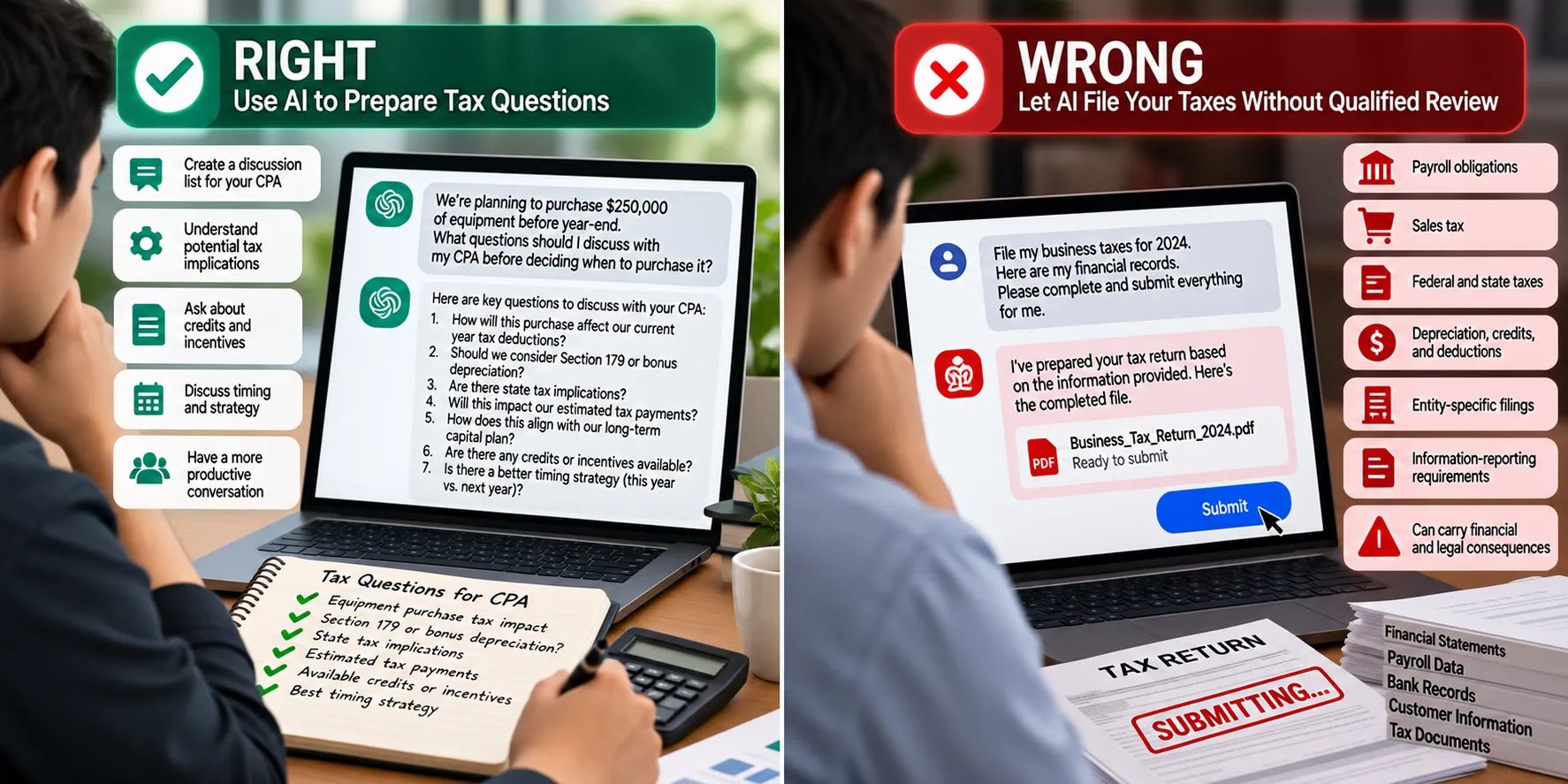
use it to help create a discussion list for your CPA.
For example:
“We’re planning to purchase $250,000 of equipment before year-end. What questions should I discuss with my CPA before deciding when to purchase it?”
Now AI is helping you prepare.
Your CPA can apply current law to your actual circumstances.
That’s a much safer division of responsibility.
WRONG: Let AI File Your Taxes Without Qualified Review
Tax returns aren’t simply data-entry exercises.
Tax positions can carry financial and legal consequences.
Businesses may have:
- Payroll obligations
- Sales tax
- Estimated payments
- State taxes
- Federal taxes
- Depreciation
- Credits
- Deductions
- Entity-specific filings
- Information-reporting requirements
Automation can absolutely make tax preparation more efficient.
But efficiency isn’t the same thing as accountability.
For meaningful business tax matters, qualified professional review remains valuable.
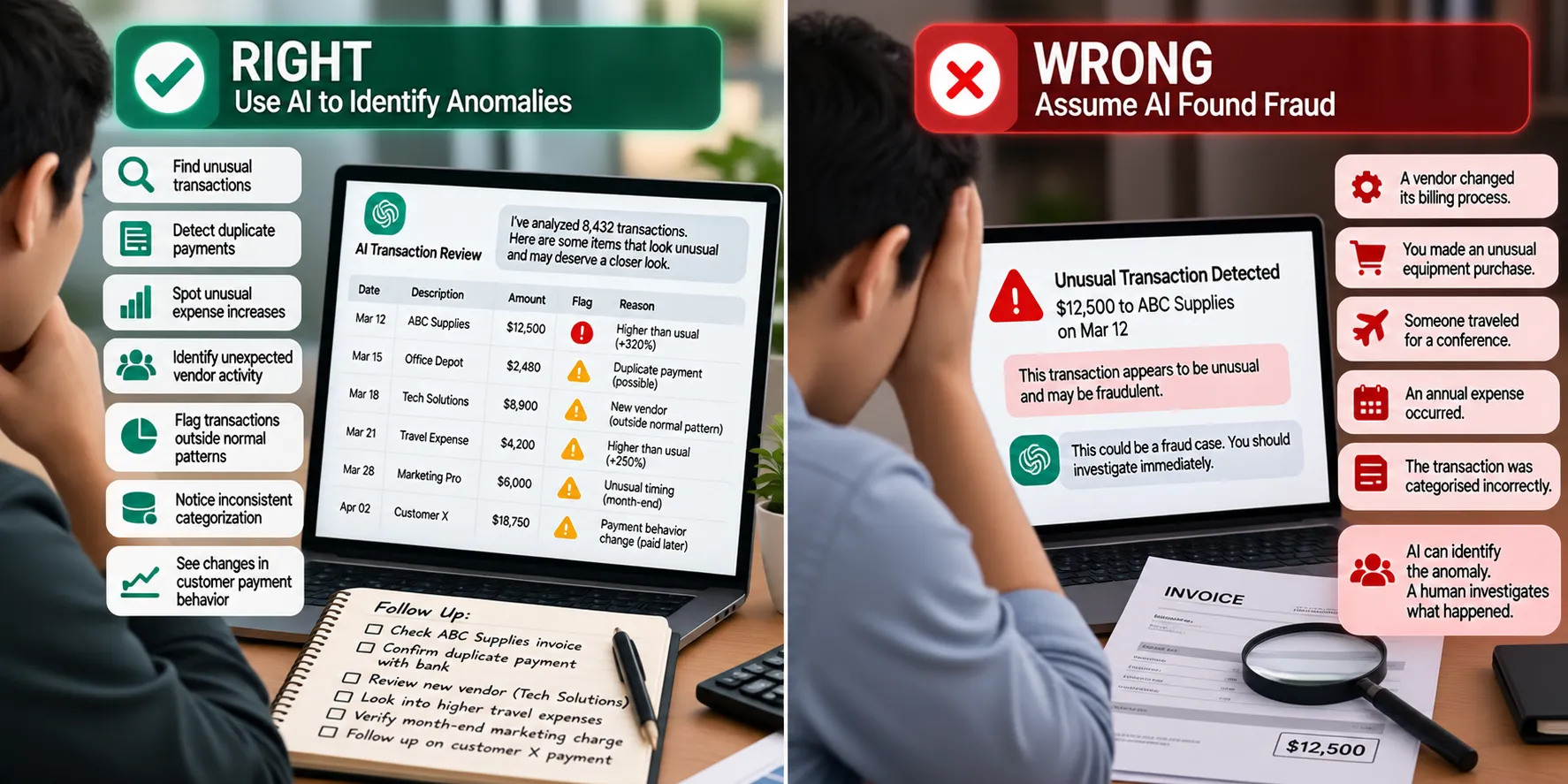
RIGHT: Use AI to Identify Anomalies
AI can be excellent at asking:
“Does anything here look unusual?”
Imagine analyzing thousands of transactions.
AI-assisted systems may identify:
- Duplicate payments
- Unusual expense increases
- Unexpected vendor activity
- Transactions outside normal patterns
- Inconsistent categorization
- Changes in customer payment behavior
That doesn’t mean every anomaly is fraud or an error.
It means:
This deserves a closer look.
That’s a very useful role for AI.
WRONG: Assume AI Found Fraud
An unusual transaction isn’t automatically fraudulent.
Maybe:
- A vendor changed its billing process
- You made an unusual equipment purchase
- Someone traveled for a conference
- An annual expense occurred
- A transaction was categorized incorrectly
AI can identify the anomaly.
A human investigates what happened.
RIGHT: Use AI to Compare Actual Results Against Your Budget
One of the most useful monthly exercises for business owners is comparing:
What we expected
versus
What actually happened.
AI can quickly analyze budget-to-actual reports.
For example:
Revenue: 8% above budget.
Gross profit: 2% below budget.
Payroll: 14% above budget.
Marketing: 22% above budget.
Net income: 9% below budget.
Then ask:
“How can revenue be above budget while net income is below budget?”
Now you have a starting point for investigation.
RIGHT: Use AI for “What If?” Decisions
Business owners make financial decisions constantly.
Should we hire?
Should we buy equipment?
Should we open another location?
Should we increase prices?
Should we finance the purchase?
Should we increase marketing?
AI can help model scenarios.
Suppose you’re considering hiring someone at $80,000 per year.
The actual cost isn’t simply $80,000.
You may need to consider:
- Payroll taxes
- Benefits
- Equipment
- Software
- Training
- Workspace
- Management
- Recruiting
- Other overhead
AI can help build a framework.
Your accountant can help verify the financial assumptions.
Management makes the decision.
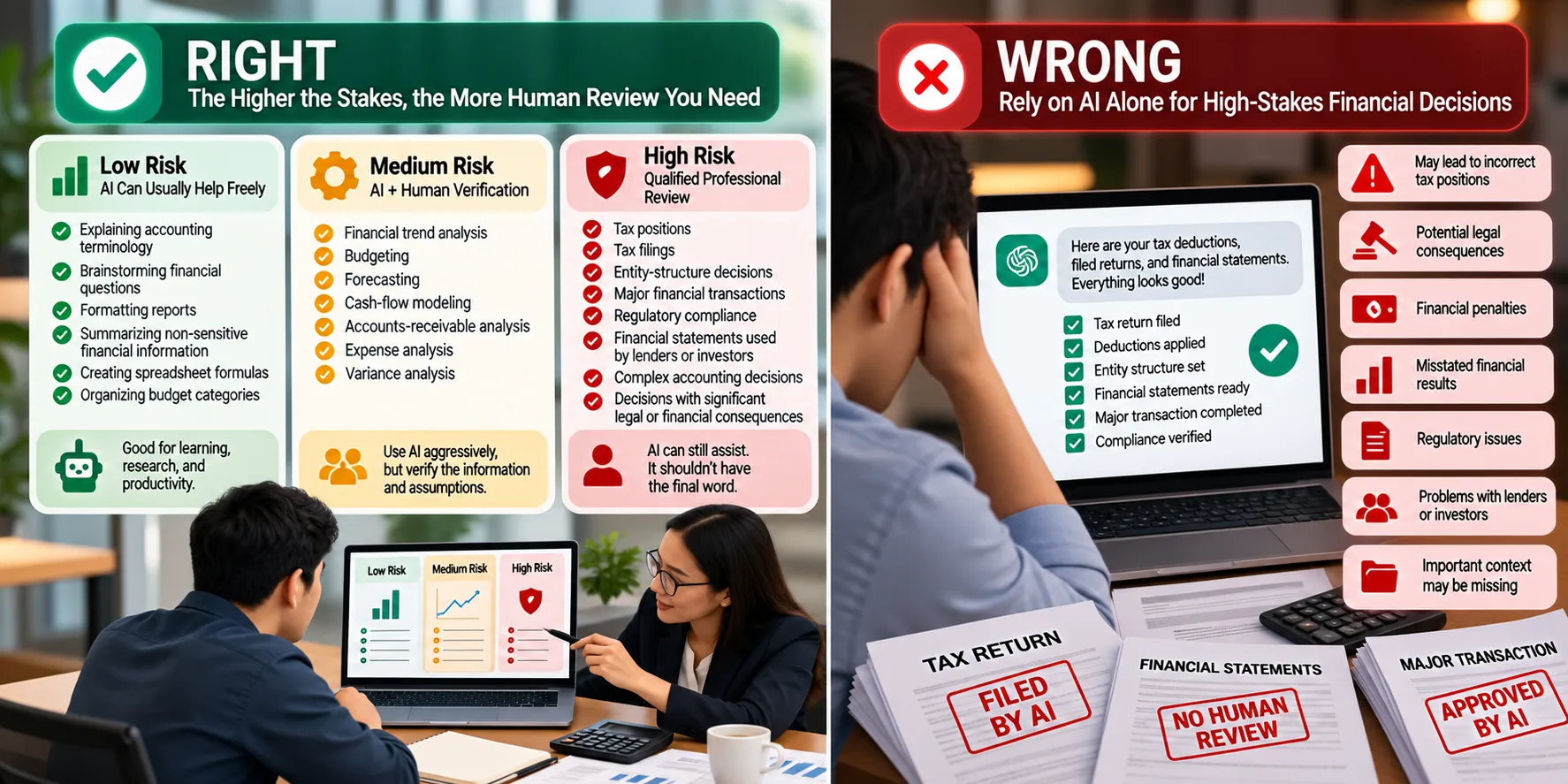
The Higher the Stakes, the More Human Review You Need
Here’s a simple framework.
Low Risk: AI Can Usually Help Freely
Examples:
- Explaining accounting terminology
- Brainstorming financial questions
- Formatting reports
- Summarizing non-sensitive financial information
- Creating spreadsheet formulas
- Organizing budget categories
Medium Risk: AI + Human Verification
Examples:
- Financial trend analysis
- Budgeting
- Forecasting
- Cash-flow modeling
- Accounts-receivable analysis
- Expense analysis
- Variance analysis
Use AI aggressively, but verify the information and assumptions.
High Risk: Qualified Professional Review
Examples:
- Tax positions
- Tax filings
- Entity-structure decisions
- Major financial transactions
- Regulatory compliance
- Financial statements used by lenders or investors
- Complex accounting decisions
- Decisions with significant legal or financial consequences
AI can still assist.
It shouldn’t necessarily have the final word.
Don’t Confuse Faster With Better
AI can produce a financial analysis in 15 seconds.
That’s impressive.
But speed isn’t the objective.
Better decisions are the objective.
If AI allows your CPA or financial team to spend less time organizing information and more time interpreting it, that’s valuable.
If it causes a business owner to stop asking a qualified professional because “ChatGPT already answered it,” that’s considerably less valuable.
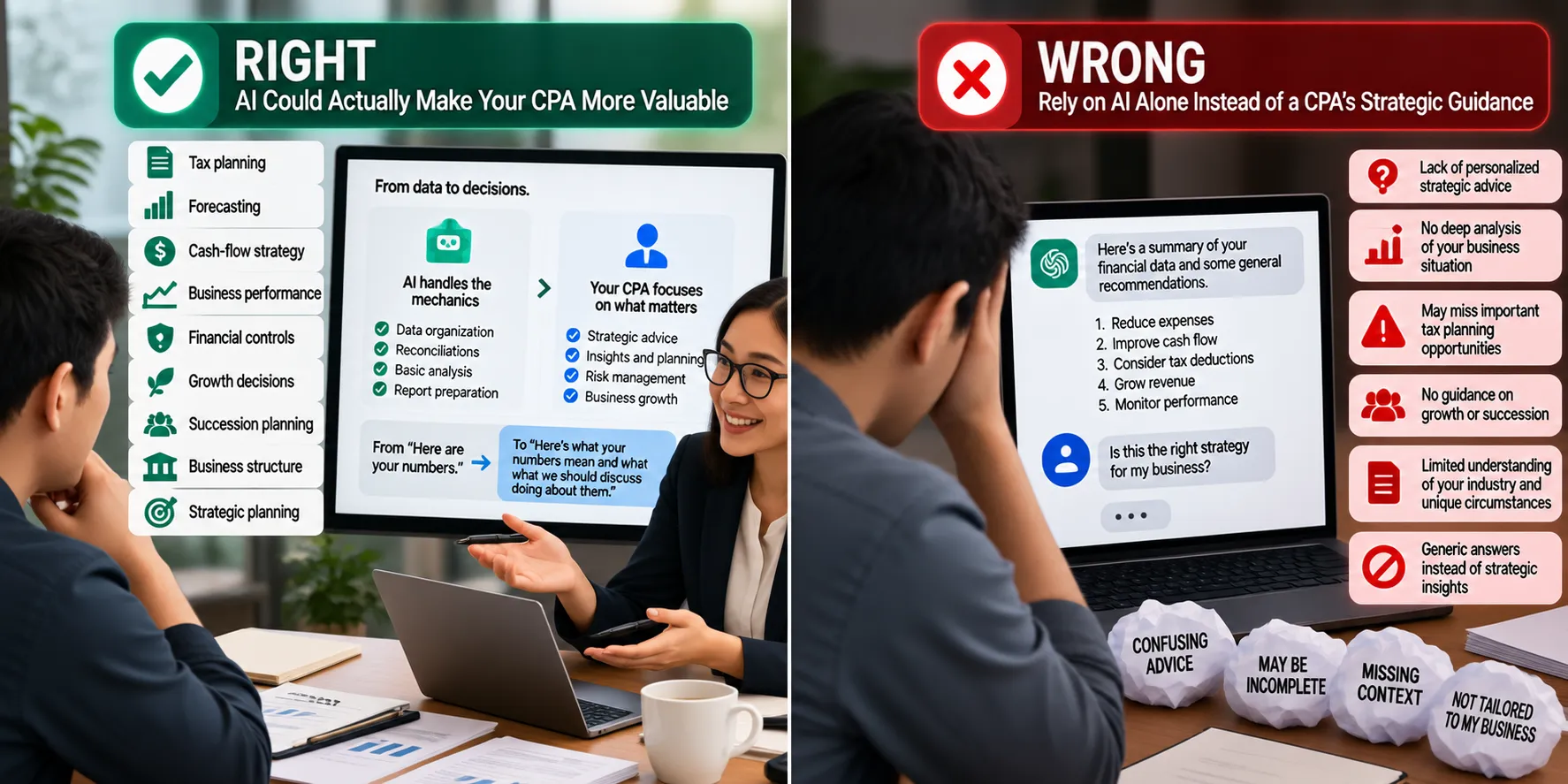
AI Could Actually Make Your CPA More Valuable
This sounds counterintuitive.
If AI can perform more accounting tasks, shouldn’t businesses need accountants less?
Maybe for certain repetitive tasks.
But consider what happens when software handles more of the mechanics.
The accountant can spend more time helping with:
- Tax planning
- Forecasting
- Cash-flow strategy
- Business performance
- Financial controls
- Growth decisions
- Succession planning
- Business structure
- Strategic planning
That’s a shift from:
“Here are your numbers.”
to:
“Here’s what your numbers mean and what we should discuss doing about them.”
For business owners, that’s potentially much more valuable.
Your CPA Has Something AI Doesn’t: Context
AI sees data.
Your CPA may know:
You plan to sell the company in five years.
Your biggest customer represents 35% of revenue.
You’re planning to buy a building.
Your spouse is joining the business.
You’re opening another location.
You’re preparing to bring in a partner.
You had an unusually large one-time expense.
You’re trying to preserve cash.
You’re preparing for retirement.
Those details can completely change the advice.
Financial decisions happen within the context of your life and business.

Create an AI Policy for Financial Information
Businesses adopting AI should establish some basic rules.
Determine:
- Which AI platforms employees may use
- What financial information can be uploaded
- What information is prohibited
- Whether data needs to be anonymized
- Who reviews AI-generated financial analysis
- Which decisions require CPA approval
- How AI output should be documented
- Who remains accountable for the final decision
You don’t need to ban AI.
You need to manage it.
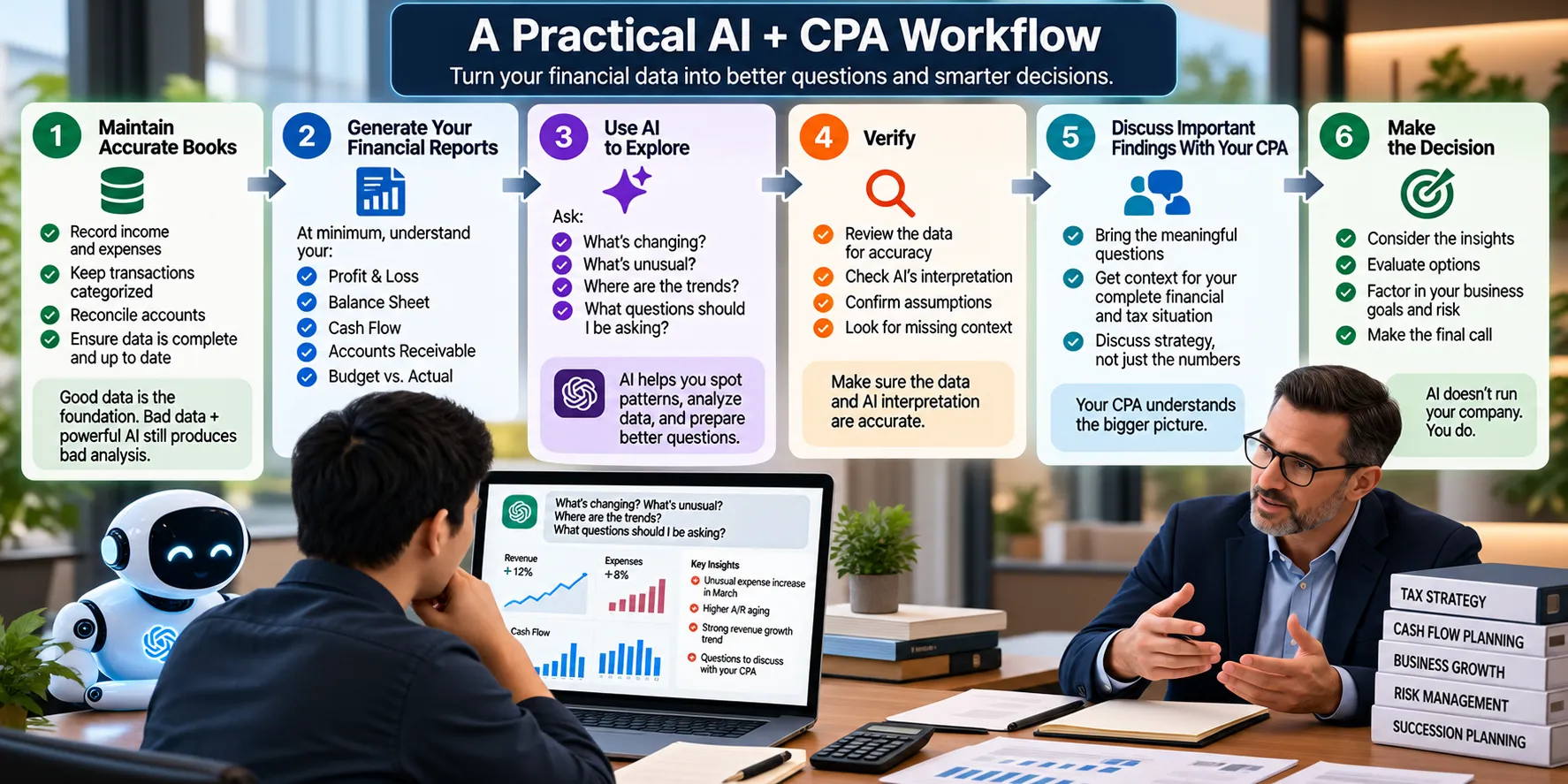
A Practical AI + CPA Workflow
Here’s one way business owners can think about using AI with their finances.
Step 1: Maintain Accurate Books
Everything begins with good financial information.
Bad data + powerful AI still produces bad analysis.
Step 2: Generate Your Financial Reports
At minimum, understand your:
- Profit & Loss
- Balance Sheet
- Cash Flow
- Accounts Receivable
- Budget vs. Actual
Step 3: Use AI to Explore
Ask:
What’s changing?
What’s unusual?
Where are the trends?
What questions should I be asking?
Step 4: Verify
Make sure the data and AI interpretation are accurate.
Step 5: Discuss Important Findings With Your CPA
Bring the meaningful questions to someone who understands your complete financial and tax situation.
Step 6: Make the Decision
AI doesn’t run your company.
You do.
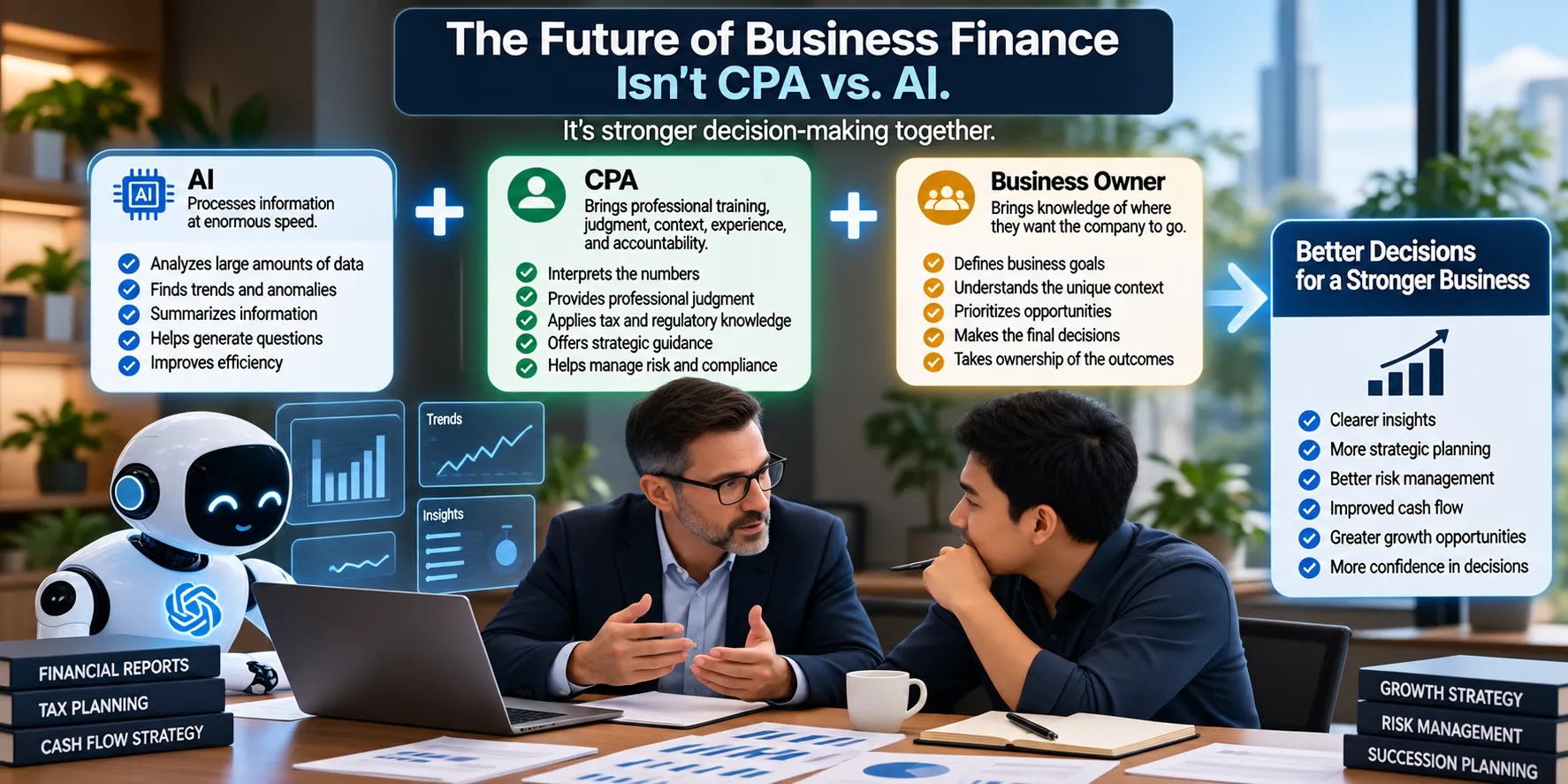
The Future of Business Finance Isn’t CPA vs. AI
It’s tempting to frame every AI conversation as:
Which jobs will AI replace?
For business finance, that’s probably the least useful question.
A better question is:
How much better could financial decision-making become when good accountants have better technology?
AI can process information at enormous speed.
CPAs bring professional training, judgment, context, experience, and accountability.
Business owners bring something equally important:
Knowledge of where they want the company to go.
The strongest financial process combines all three.
Business Accounting and Advisory Services From Lucia & Co. CPAs
At Lucia & Co. CPAs, we believe financial reports should help business owners make decisions—not simply satisfy accounting requirements.
Technology, automation, and artificial intelligence can make financial information increasingly accessible.
But access to more information doesn’t automatically create better decisions.
Business owners still need accurate accounting, appropriate tax guidance, and professionals who can help put the numbers into context.
AI should help you understand your business.
It shouldn’t separate you from the people who understand your business.
Conclusion
So, how much should you use AI with your business finances?
Probably more than you’re using it today—but less than blindly handing it control.
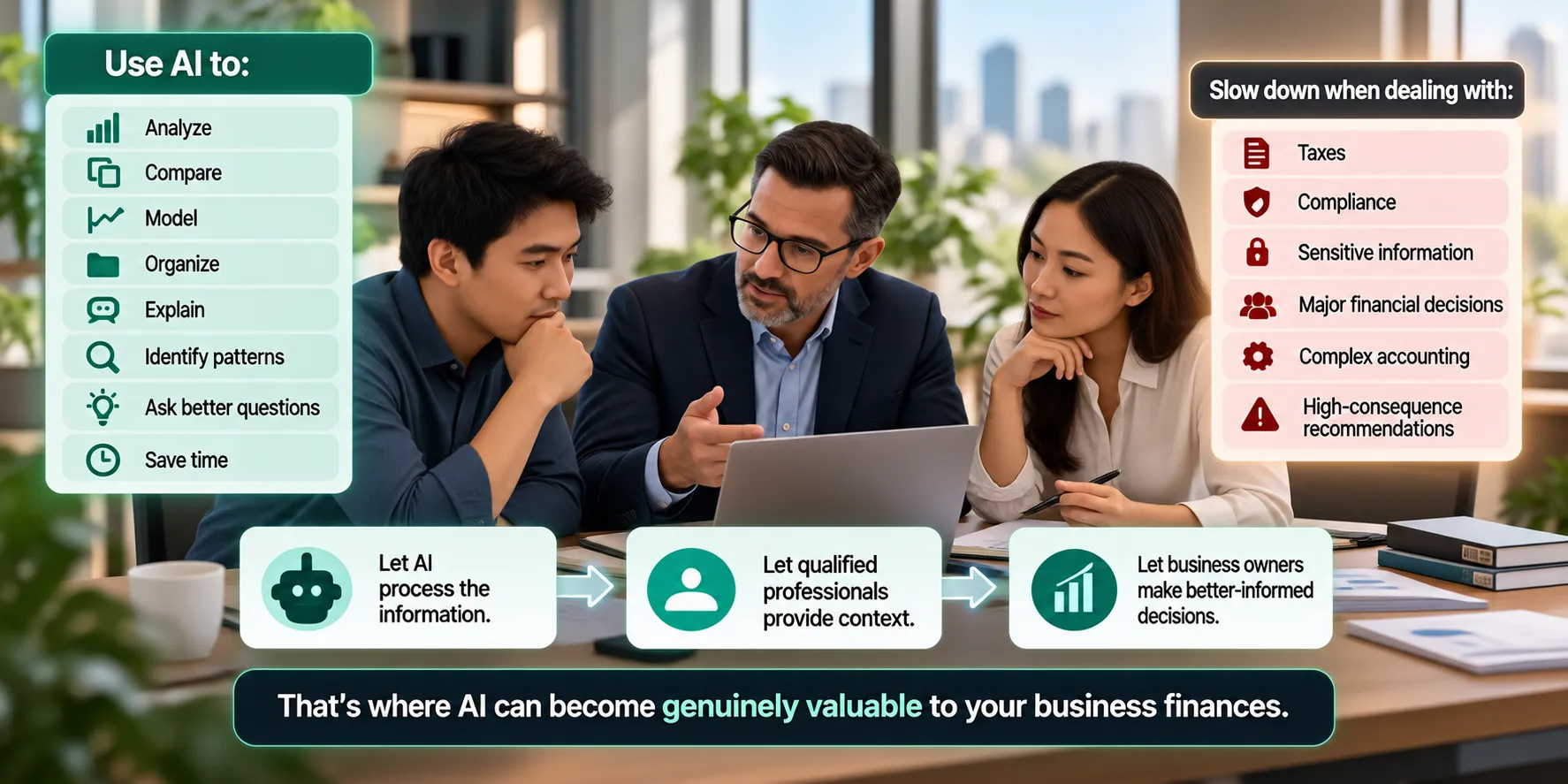
Use AI to:
Analyze.
Compare.
Model.
Organize.
Explain.
Identify patterns.
Ask better questions.
Save time.
But slow down when you’re dealing with:
Taxes.
Compliance.
Sensitive information.
Major financial decisions.
Complex accounting.
High-consequence recommendations.
The goal isn’t to choose between artificial intelligence and your CPA.
It’s to give business owners and their financial professionals better tools.
Let AI process the information.
Let qualified professionals provide context.
And let business owners make better-informed decisions.
That’s where AI can become genuinely valuable to your business finances.
Frequently Asked Questions About AI and Business Finances
1. Can I use AI for my business finances?
Yes. AI can assist with financial analysis, budgeting, forecasting, reporting, and other financial tasks, but important outputs should be appropriately reviewed.
2. Can AI replace my accountant?
AI can automate and assist with many accounting tasks, but accountants and CPAs provide professional judgment, context, tax knowledge, and accountability that go beyond simply processing data.
3. Can AI do my bookkeeping?
AI-powered accounting systems can automate portions of bookkeeping, but businesses still need processes to review transactions, resolve exceptions, and maintain accurate records.
4. Can I upload my P&L into AI?
Potentially, but first consider whether the platform is appropriate for confidential financial information. Removing unnecessary sensitive information may reduce risk.
5. Can AI analyze a Profit & Loss Statement?
Yes. AI can help identify trends, compare periods, calculate changes, and generate questions about financial performance.
6. Can AI analyze my balance sheet?
Yes. AI can help explain changes in assets, liabilities, equity, working capital, and other balance-sheet information, subject to appropriate review.
7. Can AI help with cash-flow forecasting?
Yes. AI can assist with scenario modeling and analysis, but forecasts depend heavily on the quality of the assumptions used.
8. Can AI create my annual budget?
AI can help create and model a budget. Management and financial professionals should review the assumptions before relying on it.
9. Can AI tell me whether I can afford to hire someone?
AI can help model the financial impact of hiring, but the decision should consider costs, cash flow, business needs, capacity, and other factors.
10. Can AI give tax advice?
AI can explain general tax concepts and help you prepare questions, but tax recommendations should be verified with a qualified tax professional familiar with your circumstances and current law.
11. Should I use AI to prepare my business tax return?
Automation may assist tax preparation, but business tax filings can involve complex decisions and should receive appropriate professional review.
12. Can AI find accounting mistakes?
AI-assisted systems can potentially identify anomalies, inconsistencies, or unusual patterns, but those findings still need investigation.
13. Can AI detect fraud?
AI can help identify unusual transactions or patterns that deserve attention, but an anomaly alone doesn’t prove fraud.
14. Is it safe to put bank information into AI?
Be cautious. Understand the security and privacy practices of any system before providing sensitive financial information.
15. What financial information should I avoid sharing with public AI tools?
Avoid unnecessarily sharing information such as account credentials, bank account details, tax identification numbers, personal employee information, customer information, or other confidential records.
16. Can AI help me understand financial reports?
Yes. Explaining financial concepts and helping business owners explore their reports can be one of AI’s most useful applications.
17. Can AI predict whether my business will be profitable?
AI can create forecasts based on assumptions and historical information. It cannot guarantee future financial performance.
18. How can I use AI before meeting with my CPA?
Use it to review reports, identify unusual changes, organize questions, and explore possible scenarios you want to discuss.
19. Will AI make CPAs unnecessary?
AI will likely automate more accounting tasks, but businesses will continue to need professional judgment, tax expertise, financial context, and strategic advice.
20. What’s the best way for a small business to use AI with its finances?
Use AI to make financial information easier to analyze and understand while maintaining accurate accounting, protecting sensitive information, and involving qualified professionals in consequential financial and tax decisions.
